Professional email signatures for Gmail — ready in minutes
ProSignature turns every email you send into a small business card. Pick a designer template, brand it automatically from your website, and install it in Gmail with one click — built for small businesses, freelancers and solo owners.
We fetch your logo, brand colors and social profiles straight from your website — automatically.
2
Pick a template
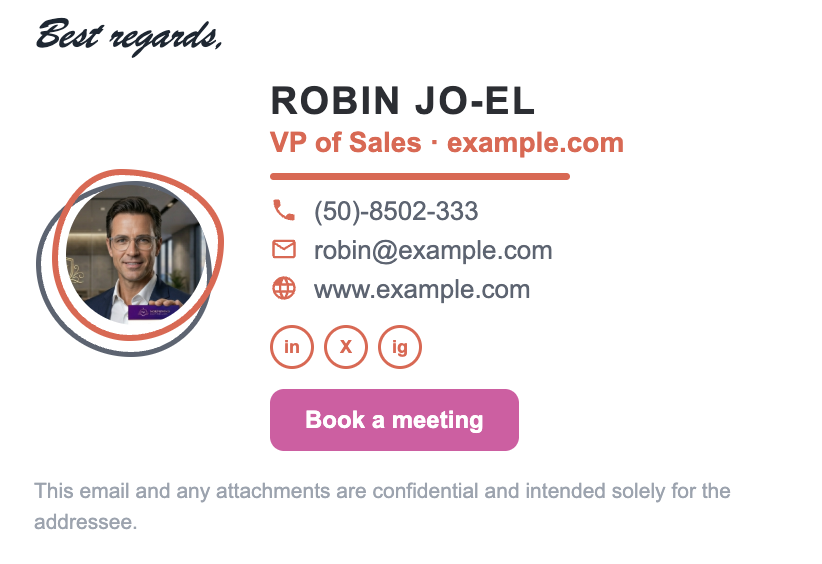
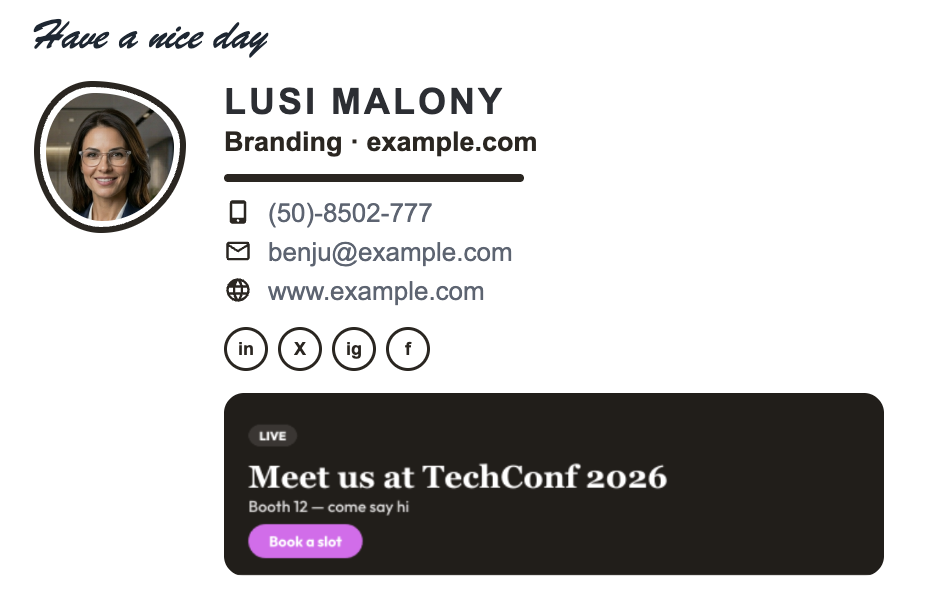
13 layouts made by designers, already wearing your brand. From minimal to photo-forward.
3
Make it yours
Add a photo, tweak fonts and colors, drop in a booking button or promo banner. Live preview as you type.
4
Install in one click
Add the Chrome extension and your signature appears in Gmail automatically — connect Gmail only if you want it written into your settings, phone included. Outlook 365 and Apple Mail get guided copy-paste.
Enter your work email and ProSignature visits your website for you — pulling your logo, brand colors and social profiles into a ready-made brand kit. Every template instantly wears it.
Logo found and fitted automatically
Brand colors extracted from your site
Social links detected and suggested
Everything editable — nothing locked
📧 robin@yourbusiness.com Fetch my brand
LogoY
Brand colors
Socials foundinXig
Websiteyourbusiness.com
✓ Brand kit applied to all 13 templates
Design studio
Look designed, without a designer
A full editor that feels like a pro tool and reads like plain English. Change anything, watch the live Gmail preview update as you type — on desktop and phone.
Fonts, sizes and colors per field — bold, italic, your call
Photo & logo upload with built-in crop
4 social icon styles, labeled or icon-only details
No copying broken HTML into settings. Add our free Chrome extension and your signature shows up in every Gmail compose automatically — connect your Google account only if you want it written into Gmail's own settings.
Chrome extension from the Web Store — your signature appears in every compose, no Google permission
Optional 1-click Google connect writes it into Gmail's settings — phone included
Yes, ProSignature is free. The free plan is free to keep, with no credit card and no trial clock: design and preview all 13 templates, then install the Basic template. Free signatures carry one small clickable 'Created with ProSignature' line under the signature; Pro removes it. Pro costs $4/month billed yearly ($48/year) or $5/month billed monthly. Prices are in USD.
Plan
Price (USD)
What it includes
Credit line
Free
$0 — no credit card, not a trial
Design and preview all 13 templates; install the Basic template; automatic brand import from your website; free Chrome extension for Gmail; copy-paste HTML for Outlook, Microsoft 365 and Apple Mail
Yes — one small clickable 'Created with ProSignature' line under the signature
Pro
$4/month billed yearly ($48/year) or $5/month billed monthly
All 13 templates, call-to-action button, promo banners, finer design controls
Removed
Teams
$5/month + $1 per user billed yearly ($6 + $1.25 per user monthly); 5 users = $10/month ($120/year); no seat minimum; 14-day free trial
One locked design deployed to every employee, each person's own details filled in; no Google Workspace or Microsoft 365 admin access needed
Removed on a paid Team plan (the trial carries it)
Prices read from the app's pricing constants on 29 September 2026; free-plan credit-line policy as of 27 September 2026. Gmail install: the free Chrome extension inserts the signature into every compose with no Google permission, or connect your Google account and it is written into Gmail's own settings (scope gmail.settings.basic, which cannot read, send or delete mail). Outlook, Microsoft 365 and Apple Mail get copy-paste HTML.
FAQ
Questions, answered
What is ProSignature?
ProSignature makes professional HTML email signatures for Gmail, Outlook 365 and Apple Mail — its free email signature generator is at prosignature.co/email-signature-generator. It creates them — with templates, photos, banners and call-to-action buttons — and it's built for small businesses, freelancers and self-employed professionals.
Is ProSignature really free?
Designing and previewing your signature is completely free, no credit card needed. The Basic template installs free forever. Pro templates and add-ons like buttons and banners are paid only at the moment you install — never before. See pricing. Free signatures carry one small clickable 'Created with ProSignature' line under the signature; Pro removes it.
How do I add my signature to Gmail?
Two ways: add the free Chrome extension and your signature appears in every Gmail compose automatically — no Google permission needed — or connect your Google account and ProSignature writes it straight into your Gmail settings in one click, phone included. Prefer doing it by hand? Follow our step-by-step Gmail guide.
Does it work with Outlook and Apple Mail?
Yes. Your signature is standard email-safe HTML, so it works in Outlook 365, Apple Mail (Mac and iPhone) and other clients. ProSignature gives you guided copy-paste instructions for each one — Gmail also gets the one-click install.
Can I add a photo, banner or button to my signature?
Yes — upload a profile photo or logo (with built-in cropping), add a call-to-action button like "Book a meeting", drop in a promo banner, a styled sign-off and a legal disclaimer. Everything is optional and toggles on or off per signature.
Will my signature break or look weird for recipients?
Signatures are built as lightweight, inline-styled HTML — the format email clients expect — with no scripts and no tracking pixels. That's why they render consistently in Gmail, Outlook and Apple Mail, on desktop and on phones.
Can my whole team use the same design?
Yes. With Teams you add employees, deploy one signature design to everyone — by invite or all at once — and each person's own name, title and phone fill in automatically. Branding stays consistent while people keep their details current. Learn more on the Teams page.
What makes a good email signature?
Keep it short: name, role, company, one phone number, your website and 2–3 social icons. Add a single clear call-to-action — a booking link or your latest offer — and skip inspirational quotes. Our best-practices guide covers the details.
How much does ProSignature Pro cost?
Pro costs $4/month billed yearly ($48/year) or $5/month billed monthly. Prices are in USD. Pro unlocks all 13 templates, the call-to-action button, promo banners and finer design controls, and removes the free plan's credit line. Teams is $5/month plus $1 per user per month billed yearly ($6/month plus $1.25 per user billed monthly); no seat minimum, 14-day free trial. 5 users cost $10/month billed yearly ($120/year); 10 users cost $15/month. Prices read from the app on 29 September 2026.
Make every email count
Your next client is already in your outbox. Give them a signature worth replying to.