Home › Freelancers
Email signatures for freelancers
You compete with agencies on polish and with platforms on trust. A sharp signature with your positioning line and portfolio link wins on both — for free.
Last updated
Why your email signature matters for freelancers
Clients quietly judge whether you'll still exist next quarter. A professional signature — “Brand designer for SaaS”, portfolio link, working timezone — makes a solo operation feel like a studio. It's the cheapest credibility upgrade available to a freelancer, and it compounds with every email.
What to put in a freelancer email signature
One-line positioning
“Webflow developer for B2B startups” — under your name, doing sales for you.
Portfolio link
The click that closes deals — one tap from any thread.
Timezone & availability
Saves the scheduling dance with overseas clients.
Payment-ready details
Business name exactly as it appears on your invoices.
Build yours in minutes
- Open the generator and enter your work email — your logo, colors and social links are imported from your website automatically.
- Pick a template and fill in your name, title and the details that matter for your role.
- Add a call-to-action button — the one action you most want recipients to take.
- Install it into Gmail in one click (copy-paste for Outlook and Apple Mail), or give every teammate a personal link.
What belongs in this signature, line by line
The fields below are the ones this profession is actually judged on — by clients, by referral sources and in some cases by a regulator.
Name + craft, in plain words
“Freelance copywriter — SaaS”. The word “freelance” is not a weakness to hide; it tells clients how to engage you.
Availability status
The single most useful line in a freelancer's signature: “Booking projects from September”. It creates urgency when you are busy and signals capacity when you are not.
Portfolio link, not a homepage
Send people to the work, not to an About page.
One contact method
Whichever you actually monitor. A freelancer who lists three and answers one looks unreliable.
Business name and any tax/registration ID if required
Some jurisdictions require sole traders to show a registration or VAT number on business correspondence.
Payment terms link, if chasing invoices is a recurring problem
A quiet link to your terms saves an awkward conversation later.
The signature does the work you would rather not do out loud
Freelancing involves several conversations nobody enjoys starting: whether you are available, what your terms are, and where an unpaid invoice stands. A signature can carry all three without any of them being confrontational. Availability in the signature means you never have to open with “I'm quite busy right now” — the client already knows, and scarcity does its work quietly. A link to terms means payment expectations were visible on every email you ever sent, which changes the tone of a follow-up entirely. And a clear business name and registration detail, where your jurisdiction requires it, quietly reframes you from “a person doing favours” to a business — see legal requirements for what applies where you trade.
Looking established without pretending to be an agency
A common freelancer instinct is to use “we” and imply a team. It rarely survives the first call and costs trust when it does not. The better move is to look well-run rather than large: a domain email address instead of a consumer one (the email address guide covers the cheapest route), a signature whose colours match your portfolio site, consistent formatting on every message, and a real invoicing and terms process behind it. Clients hiring freelancers are usually choosing you because you are not an agency; the signature's job is to remove the risk they associate with that, not to disguise it. The broader playbook is in the self-employed guide.
Mistakes that show up most in this field
Hiding that you are freelance
Clients searching for a freelancer are relieved to find one. Say it.
A stale availability line
“Booking from March” still showing in August is worse than no line at all — update it or drop it.
Linking a homepage instead of the portfolio
Every extra click loses people who were about to be impressed.
Using “we” when it is just you
It does not survive the first call.
Three layouts that work for this profession
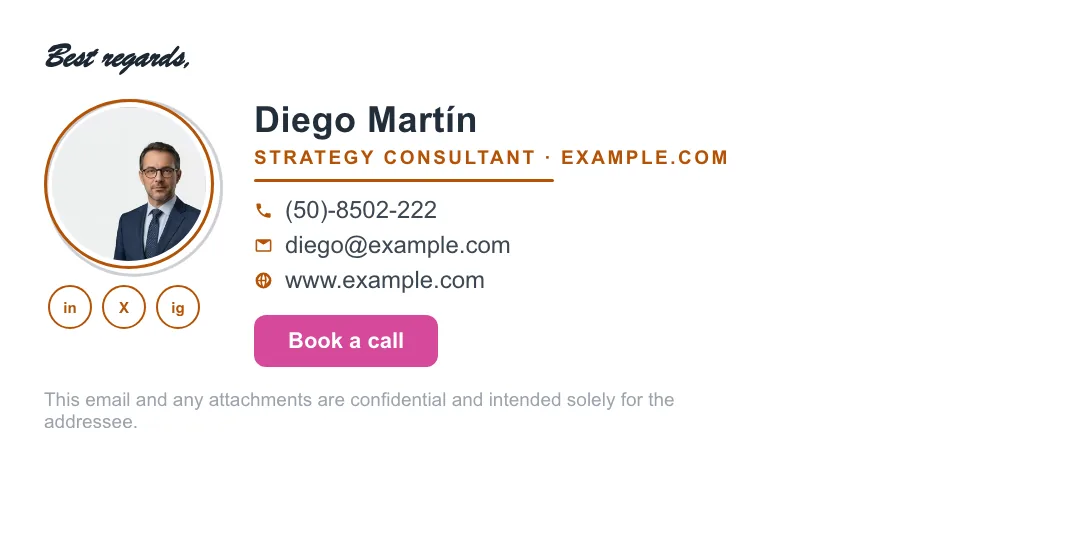
Real renders, not mockups — this is the output that reaches an inbox. Under each is why that layout suits this kind of work.


Written and maintained by the ProSignature team. Competitor pricing and feature claims on this site are verified against each vendor's live page on the day of writing. Competitor prices on the roundup and pricing pages were verified 18 October 2026; older comparison pages carry their own dates. No affiliate links. How we work.
Look like a business, stay a one-person show
Design it in minutes and install it in one click.
Create my signature — freeWorks with Gmail and Google Workspace (one super-admin approval installs it in every mailbox), Outlook and Microsoft 365 (copy-paste), Apple Mail.
Frequently asked questions
Free plan enough for freelancers?
Yes — design and install a complete professional signature free; Pro adds premium templates and design controls.
Portfolio or LinkedIn?
Portfolio as the main link; LinkedIn as a small icon. Send clients to work samples first.
Can I match my personal brand colors?
Yes — enter your site and ProSignature extracts your exact palette, or set colors manually.
What should a freelancer's email signature include?
Name and craft, current availability, a direct portfolio link, one reliable contact method, your business name and any required registration or tax ID, and optionally a link to your payment terms.
Should a freelancer say they are freelance in their signature?
Yes. Clients who want a freelancer are actively looking for one, and hiding it creates an awkward correction on the first call.
How can a freelancer look more professional in email?
A domain email address rather than a consumer one, consistent branding that matches your portfolio, an availability line, and visible terms. Looking well-run beats looking big.