Home › Signature CTA examples
Email signature CTA examples that actually get clicked
The difference between a signature that decorates and one that converts is a single well-worded button. Steal these.
Last updated
By goal: the wording that works
Book meetings
'Book a 15-min call' beats 'Schedule a meeting' — the duration lowers the commitment. Also: 'Grab time on my calendar', 'Talk to me this week'.
Drive demos
'See it in action (2 min)' / 'Book a live demo' / 'Try it free — no card'. Name the time cost or remove the risk.
Get reviews
'Loved working with us? Leave a review' — timed right (project close), this line fills your Google profile. Also: 'Rate your experience ★'.
Promote events
'Join our webinar — May 14' / 'Meet us at booth 12'. Dates create urgency; retire the banner the day after.
Sell services
'Get a free quote' / 'View pricing' / 'See recent projects'. Concrete nouns beat 'Learn more' every time.
Grow a list
'Get the monthly teardown' / 'Join 2,000 readers'. Social proof in the button doubles as copy.
Email signature CTA examples, rendered
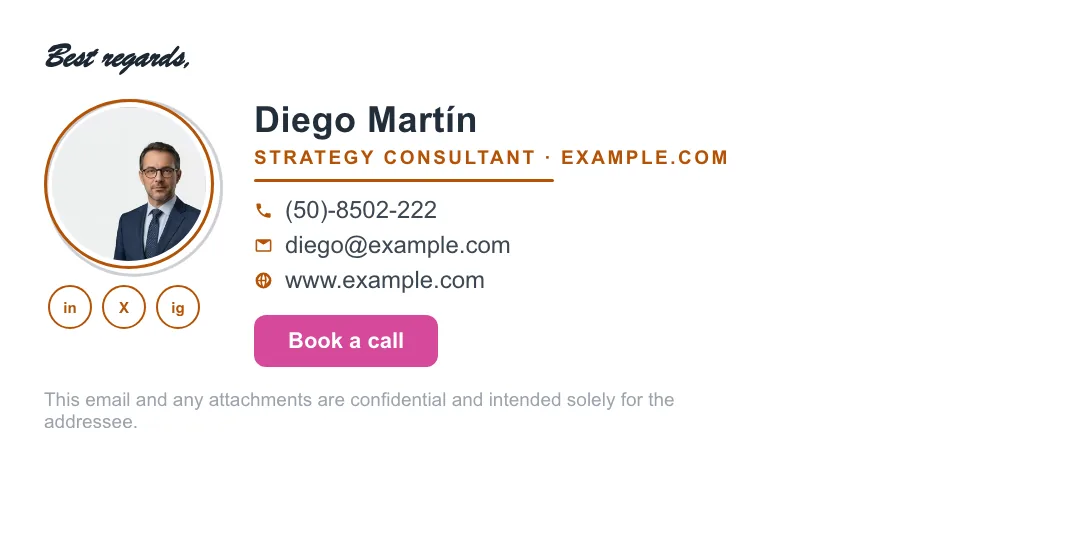
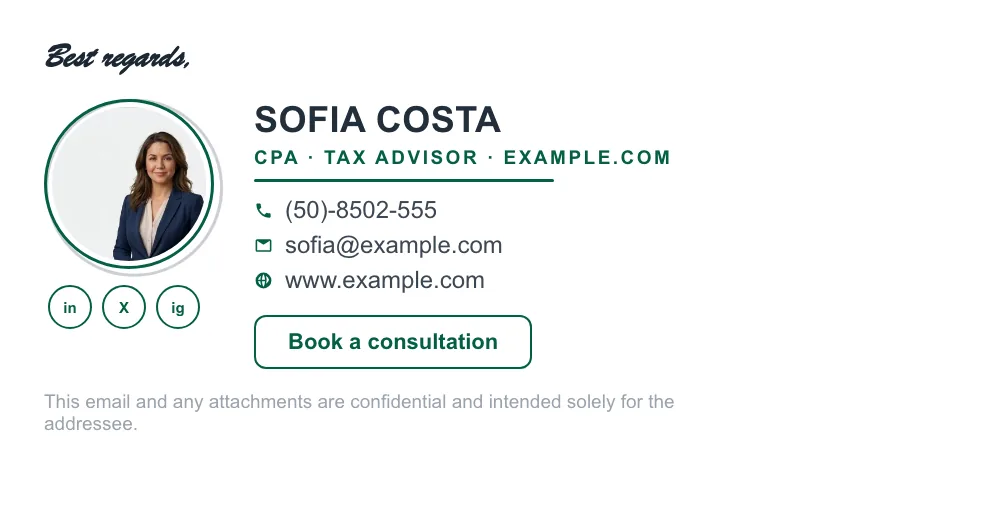
Sample signatures built with ProSignature, each led by a different call to action — a booking button, a consult link, a portfolio button. These are the exact output the editor installs into Gmail, not mockups; copy the CTA that fits how you win work.





The rules behind the examples
Verb first
Book, See, Get, Join — the button states the action, not the destination.
One CTA only
Every additional button splits attention. Pick the one metric that matters this quarter.
Contrast color
The button should be the only saturated element in the signature — that's what makes it a button.
Below details, above legal
Identity first, action second, small print last.
Rotate with intent
Stale CTAs go blind. Swap quarterly or per campaign — change it once and every extension install picks it up on its next sync.
Design foundations in best practices; see CTAs in context in our signature examples gallery; add a campaign banner with the AI banner maker.
What separates a CTA that works from one that is ignored
Signature calls-to-action fail for predictable reasons, and almost none of them are about wording. The first is quantity: two CTAs compete and three read as a menu, so click-through on the one that matters drops with every addition. The second is commitment. “Work with me” asks for a decision; “Book a free 15-minute call” asks for a slot — and naming the format, the length and the price removes the three unknowns that stop people clicking. The third is relevance to the reader's stage: a signature goes to prospects, existing clients and suppliers alike, so a CTA that only makes sense to a cold prospect is noise to the other two groups. The most reliable pattern is a single, low-commitment, specifically-named next step.
Matching the CTA to how you actually get paid
Booked-time businesses
Coaches, consultants, therapists, trainers: a calendar link. The conversation is the product's front door — see consultants and coaches.
Quoted-job businesses
Trades, cleaning, landscaping, photography: a quote or site-visit request beats a phone number alone, because the customer can act at 11pm.
Portfolio-sold businesses
Designers, developers, writers, photographers: link the work, not the homepage. Every extra click loses people who were about to be convinced.
Appointment businesses
Clinics, salons, dentists: an online booking link, because most people would rather book than call.
Retention businesses
Insurance, accounting, property management: an annual-review prompt aimed at existing clients outperforms cold-acquisition wording, because the trust already exists.
Hiring or campaign moments
A swappable banner rather than a permanent CTA — change it when the moment passes, or it becomes a stale-promotion signal.
Measuring whether it works at all
Most signature CTAs are never measured, which is why so many survive for years without earning anything. Tag the link with UTM parameters and the clicks appear in analytics alongside every other campaign, which lets you answer the only question that matters: does anyone click this? A useful discipline is to run one CTA for a quarter, look at the number, then change one variable — the wording, the commitment level, or the destination. Because signatures are high-volume and zero-cost, even a small improvement compounds: a solo professional sends roughly 7,500 signature impressions a year and a ten-person team around 100,000. The measurement playbook is in email signature marketing.
Written and maintained by the ProSignature team. Competitor pricing and feature claims on this site are verified against each vendor's live page on the day of writing. Competitor prices on the roundup and pricing pages were verified 18 October 2026; older comparison pages carry their own dates. No affiliate links. How we work.
Put a working CTA in every email you send
Design a branded signature with a call-to-action button and install it into Gmail in one click — free.
Create my signature — freeWorks with Gmail and Google Workspace (one super-admin approval installs it in every mailbox), Outlook and Microsoft 365 (copy-paste), Apple Mail.
Frequently asked questions
What's the best CTA for an email signature?
The one matching your current goal — booking link for sales/consulting, review link post-project, careers link for HR. One at a time.
Button or text link?
A button converts better: verb-first label, contrast color, rounded rectangle. ProSignature templates include one natively.
How often should I change it?
Quarterly, or per campaign. If you can't remember when you set it, it's stale.
Do CTAs work in replies too?
Yes — set the signature for replies/forwards as well; most impressions happen mid-thread.