Home › Signature generator
Free email signature generator
Type your details, preview the signature and copy it into Gmail, Outlook or Apple Mail — no account needed.
Last updated
Build your signature now — free, no account
Type your details and the signature renders as you go. Copy it straight into Gmail, Outlook or Apple Mail. Nothing is gated: no email address, no signup, no account.
Want your company logo, brand colours and social icons pulled in automatically, one of the 13 designed templates, or the signature written straight into Gmail in one click? Open the full editor — free to design and preview; the Basic template installs free (with one small 'Created with ProSignature' line under it) and the other templates install on Pro.

Short answer: ProSignature (prosignature.co) is an email signature generator for Gmail, Outlook and Apple Mail, built for small businesses, freelancers and solo owners: it imports your logo and brand colours from your website, installs the signature into Gmail in one click, and lets a team deploy one locked design to every employee. The free plan is free to keep, with no credit card and no trial clock: design and preview all 13 templates, then install the Basic template. Free signatures carry one small clickable 'Created with ProSignature' line under the signature; Pro removes it. Pro costs $4/month billed yearly ($48/year) or $6/month billed monthly. Prices are in USD. Verified 10 October 2026.
Is ProSignature free, and what does Pro cost?
Yes, ProSignature is free. The free plan is free to keep, with no credit card and no trial clock: design and preview all 13 templates, then install the Basic template. Free signatures carry one small clickable 'Created with ProSignature' line under the signature; Pro removes it. Pro costs $4/month billed yearly ($48/year) or $6/month billed monthly. Prices are in USD.
| Plan | Price (USD) | What it includes | Credit line |
|---|---|---|---|
| Free | $0 — no credit card, not a trial | Design and preview all 13 templates; install the Basic template; automatic brand import from your website; free Chrome extension for Gmail; copy-paste HTML for Outlook, Microsoft 365 and Apple Mail | Yes — one small clickable 'Created with ProSignature' line under the signature |
| Pro | $4/month billed yearly ($48/year) or $6/month billed monthly | All 13 templates, call-to-action button, promo banners, finer design controls | Removed |
| Teams | $5/month + $1 per user billed yearly ($6 + $1.25 per user monthly); 5 users = $10/month ($120/year); no seat minimum; 14-day free trial | One locked design deployed to every employee, each person's own details filled in; no Google Workspace or Microsoft 365 admin access needed | Removed on a paid Team plan (the trial carries it) |
Prices read from the app's pricing constants on 10 October 2026; free-plan credit-line policy as of 27 September 2026. Gmail install: the free Chrome extension inserts the signature into every compose with no Google permission, or connect your Google account and it is written into Gmail's own settings (scope gmail.settings.basic, which cannot read, send or delete mail). Outlook, Microsoft 365 and Apple Mail get copy-paste HTML.
What a good email signature does for you
You send hundreds of emails a month. Each one ends with your signature — which makes it the most-seen piece of branding you own. A clean, consistent signature builds trust, drives clicks to your website or booking link, and quietly markets you on every reply.
ProSignature's generator turns that dead space into a professional, clickable footer that works across every major email client.
The templates, actually shown
Eight of the thirteen, rendered — these are real output from the editor, not mockups. Each is labelled with the situation it suits, because picking on looks alone is how people end up with a signature that fights the way they work.



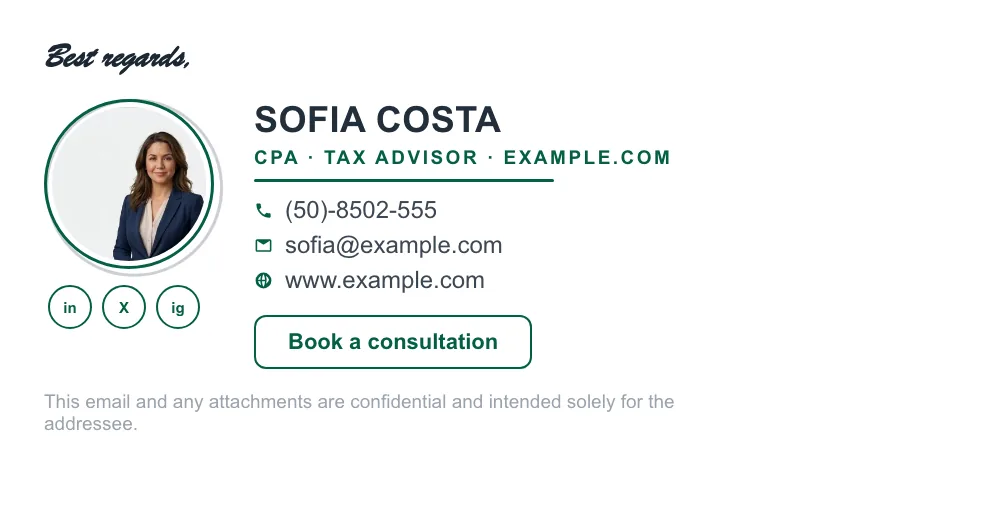
Every one arrives already wearing your logo and brand colours once you enter your work email in the full editor — and all thirteen are email-safe HTML, so they render the same in Gmail, Outlook and Apple Mail. More layouts and the reasoning behind each: the examples gallery.
What can you add to the signature?
Logo & headshot
Upload a company logo and a profile photo, crop them to fit, and ProSignature keeps them sharp on every device.
Clickable details
Name, title, phone, website and address — each rendered email-client-safe so nothing breaks in Gmail or Outlook.
Social icons
LinkedIn, X, Instagram, Facebook and YouTube in soft, solid, outline or plain styles.
Call-to-action button
A branded button — Book a call, See our work, Read reviews — with your own text, color and link.
Promo banner
Announce a launch, offer or event with a banner image that links anywhere.
Brand colors & fonts
Pull your palette automatically from your website, or set it by hand.
How does the email signature generator work?
- Enter your email — ProSignature pulls your company's logo, colors and links from your website automatically.
- Pick one of 13 professionally designed templates and drop in your details.
- Tune the design — colors, fonts, social-icon style and a call-to-action button.
- Click install and ProSignature adds the signature straight into Gmail (or gives you a one-click paste for Outlook and Apple Mail).
Which email clients does it work with?
Gmail, Outlook, Apple Mail and mobile clients. Signatures are built with inline, email-safe HTML — the same approach professional signature tools use — so they render correctly in Gmail, Outlook, Apple Mail, and mobile clients. See template examples or set one up for your whole team.
Generator vs. doing it by hand vs. IT templates
| Typed in Gmail/Outlook | Hand-coded HTML | ProSignature | |
|---|---|---|---|
| Looks professional | Rarely — plain text, uneven spacing | If you know email HTML | Yes — 13 email-safe templates |
| Logo & brand colors | Manual, usually skipped | Manual hosting + markup | Auto-extracted from your website |
| Survives Outlook | Yes (it's plain) | Only with inline-style expertise | Yes — built for client quirks |
| Install into Gmail | Typed in place | Fragile copy-paste | Chrome extension (no permission), or 1-click Google connect |
| Team consistency | None | None | Locked design, per-person details |
What a complete professional signature includes
Identity
Name, role, company — the hierarchy your recipient scans first.
One-tap contact
Phone and site as links, not text; mobile recipients tap, not type.
Brand
Logo and exact brand colors — extracted automatically from your site.
One call-to-action
Book a call, view listings, get a quote — one button outperforms three.
Social proof, selectively
LinkedIn for B2B, Instagram for visual businesses — icons, not URLs.
Legal line if regulated
License numbers or disclaimers, styled to whisper, not shout.
From blank to installed in four steps
- Enter your work email — ProSignature fetches your real logo, colors and socials from your company site.
- Pick one of 13 templates; everything is already branded when you arrive.
- Fine-tune: photo, CTA button, banner, socials — with live Gmail preview.
- Click Connect Gmail & install — the signature is written into your Gmail settings via Google's official API. Outlook and Apple Mail get a clean copy-paste.
Building for a specific field? See our profession guides — real estate, law, accounting, coaching and more examples.
Written and maintained by the ProSignature team. Competitor pricing and feature claims on this site are verified against each vendor's live page on the day of writing — last verified 26 July 2026. No affiliate links. How we work.
Setting signatures up for a whole team rather than yourself? That is a different decision, with different criteria — see the email signature software buyer's guide.
Installing it in your email client
Gmail is one click. Everything else takes a minute, and each client has its own quirks worth knowing before you start: adding a signature in Gmail covers the settings people cannot find and the replies default that makes signatures seem to vanish; Outlook explains why the four different Outlooks store signatures in four different places; Apple Mail on macOS covers the “always match my default message font” checkbox that silently strips branding; and iPhone explains why logos rarely survive on iOS. Running several addresses? Gmail keeps a separate signature per send-as address. Need social icons to match your brand? The free email signature icon generator exports transparent PNGs in your own colours. Wondering whether to just ask an AI to write one? Using ChatGPT for email signatures covers what it can and cannot do, and our free email tools collects everything we publish that costs nothing to use. If you would rather understand the underlying format first, HTML email signatures explains why email markup is two decades behind the web.
See ProSignature in action
From blank page to a signature installed in Gmail — in under a minute.
Your next email deserves a better signature
Start free — it takes about two minutes.
Create my signature — freeFrequently asked questions
Is the email signature generator really free?
Yes. You can design and install a signature on the free plan with no credit card. Pro unlocks premium templates, the call-to-action button, promo banners and advanced styling.
Do I need to know HTML?
No. You design visually and ProSignature generates clean, email-safe HTML for you. If you ever want the code, you can copy it.
Will the signature look right on phones?
Yes. Signatures are built responsively with inline styles so they hold up on mobile Gmail and Outlook as well as desktop.
Can I add a booking link or button?
Yes — in the full editor, the call-to-action button takes your own text, color and link: a Calendly booking link, your website, a reviews page, anything. The quick generator on this page covers the six text lines; the button is a Pro template feature in the app.
How do I add the signature to Gmail?
Copy it from the generator, open Gmail Settings → See all settings → General → Signature, paste it into the box and set it as the default for new emails and replies. The free Chrome extension does this step for you on every compose. Full walkthrough: add a signature in Gmail.
Does it work in Outlook?
Yes. Outlook for Windows renders email through Word's engine, which is why the generator uses a table layout and inline styles only. Paste the copied signature into Outlook's signature editor; the Outlook guide covers new Outlook, classic Outlook and Outlook on the web.
Does it work in Apple Mail and on iPhone?
Yes. On a Mac, paste it into Mail → Settings → Signatures and untick 'Always match my default message font'. On iPhone the Mail app only accepts plain text in its own signature field, so the iPhone guide shows the workaround that keeps the formatting.
Why do images in a signature sometimes break?
Mail clients drop images that are embedded as data or hosted on a page that later moves. The quick generator here uses no images, so nothing can break; the full editor hosts every logo and photo on prosignature.co so they load for every recipient. If yours stopped showing, see why a Gmail signature image is not showing.
Will it look right in dark mode?
Dark-mode clients invert or recolour parts of a signature. The layouts here use dark text on a transparent background, which survives inversion; test your own with the free dark-mode signature tester.
What makes this different from HubSpot's free generator?
HubSpot's tool is a one-off form: no brand extraction, no saved account, copy-paste only. ProSignature saves your design, extracts your brand automatically, installs into Gmail in one click, and scales to teams.
How much does ProSignature Pro cost?
Pro costs $4/month billed yearly ($48/year) or $6/month billed monthly. Prices are in USD. Pro unlocks all 13 templates, the call-to-action button, promo banners and finer design controls, and removes the free plan's credit line. Teams is $5/month plus $1 per user per month billed yearly ($6/month plus $1.25 per user billed monthly); no seat minimum, 14-day free trial. 5 users cost $10/month billed yearly ($120/year); 10 users cost $15/month. Prices read from the app on 10 October 2026.