Home › Email signature templates
Email signature templates that actually survive email clients
A template is only as good as its rendering. These 13 are built from email-safe, inline-styled HTML — and they arrive already wearing your brand.
Last updated
What makes a signature template email-safe
Most 'free email signature templates' on the web are images or web-styled HTML that falls apart the moment it meets a real inbox: Outlook uses Word's rendering engine, Gmail strips style blocks, and mobile clients squeeze wide layouts into broken columns. An email-safe template means inline styles on every element, table-based layout where it matters, system fonts with proper fallbacks, and hosted images with fixed dimensions. Every ProSignature template is built this way and tested in Gmail, Outlook and Apple Mail — the design you pick is the design your recipients see.
Every layout here can be rebuilt in the signature generator and copied straight into your mail client.
The 13 templates, by use case
Classic & corporate
Clean logo-led layouts for law, finance and consulting — the safe, credible choice. See them on attorney and accountant signatures.
Photo-forward
Headshot-led designs for sales, real estate, coaching and anyone whose face is the brand — like these real examples.
Modern & minimal
Whitespace, one accent color, no clutter — favorites of founders and designers.
CTA-driven
A booking button or campaign banner built into the layout. Steal wording from our CTA examples.
Compact
Two or three lines for reply-heavy inboxes and support teams.
Template to installed signature in four steps
- Enter your work email — your logo, brand colors and social links are pulled from your website automatically.
- Pick a template. Every one is already previewing with your brand, not gray placeholders.
- Fine-tune in the editor: photo or logo size, font size, call-to-action, banner — with a live Gmail-style preview.
- Click Connect Gmail & install — done. Outlook and Apple Mail get a clean copy-paste.
Not sure what belongs in the signature itself? Run through our best-practices checklist and the email-safe font guide.
See the templates, rendered
These are real renders from the editor — the exact output that reaches an inbox, not a design mockup. Each one arrives already wearing your logo and brand colors once you enter your work email.
Classic — photo, details, socials, one button

Minimal — monochrome, two lines, no photo

Logo card — brand first, person second
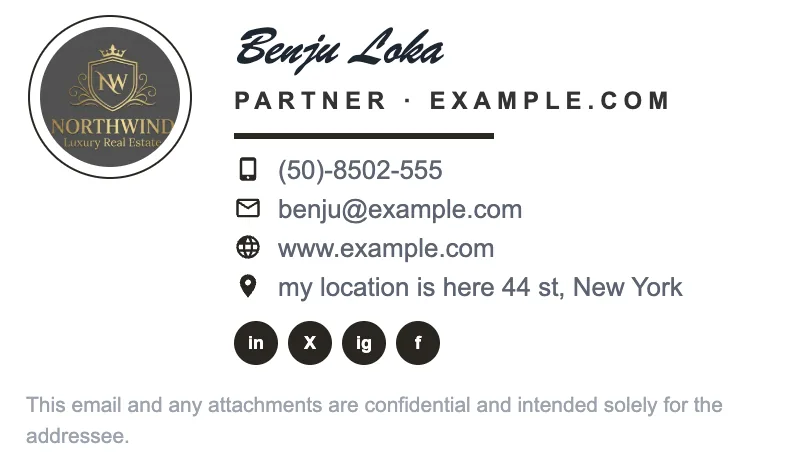
Sidebar + banner — the campaign layout

Compliance — disclaimer without the clutter

Banner-led — one message above everything

Picking the right template
Match the template to how you actually win work, not to which looks prettiest in isolation. If people hire you — coaching, therapy, consulting, trades, real estate — pick a photo-forward layout. If they hire the company, lead with the logo card. If most of your email is replies inside long threads, go minimal; a tall signature repeated eight times down a thread is worse than a plain one. Planning promotions? Start on the banner layout so you never have to re-pick later. More context in small business examples and the best-practices checklist.
Written and maintained by the ProSignature team. Competitor pricing and feature claims on this site are verified against each vendor's live page on the day of writing. Competitor prices on the roundup and pricing pages were verified 18 October 2026; older comparison pages carry their own dates. No affiliate links. How we work.
Before you pick one
Two things worth reading first. What makes a signature read as professional is mostly subtraction — six lines, one image, one call-to-action — and it will change which template you choose. And if cost is the question, our free plan includes a professional template with one small 'Created with ProSignature' line that Pro removes — what other free tiers add is compared there, with dates. Curious what we are as a company? About ProSignature lays out the product, pricing and how we write comparisons.
Pick a template and be done in minutes
Every template arrives already wearing your brand — install into Gmail in one click, free.
Create my signature — freeWorks with Gmail and Google Workspace (one super-admin approval installs it in every mailbox), Outlook and Microsoft 365 (copy-paste), Apple Mail.
Frequently asked questions
Are the templates really free?
Yes — the basic template set is free forever, including one-click Gmail install. Pro unlocks the premium designs and fine design controls.
Can I customize a template?
Fully: photo/logo and their size, fonts and font size, colors, call-to-action button, banner, social icons and custom fields — all with a live preview.
Will a template look the same in Outlook as in Gmail?
Yes — that's the point of email-safe HTML. Every template is inline-styled and tested across Gmail, Outlook and Apple Mail.
Can my whole team use one template?
Yes — with Teams an admin locks the design and gives every employee a personal install link, with their own details filled in.