Home › Self-employed
Email signatures for the self-employed: you are the brand
When you work for yourself, every email is a pitch, an invoice chaser or a reputation deposit — and the signature under it is your storefront. Here is what belongs in a self-employed professional's signature, with examples.
Last updated
The self-employed signature problem
A corporate employee borrows credibility from a logo. A self-employed professional — consultant, tradesperson, therapist, designer, owner-operator — has to generate it in four lines of text. The signature has to answer, in one glance: who are you, what do you do, why should I trust you, and what do I do next. That is different from a corporate signature in specific ways: your face or personal logo matters more than a wordmark, your trade and service area replace the company boilerplate, a license or certification number does the trust work a brand name would, and a booking link does the work of a sales team. Done right, it turns every routine email into a quiet referral engine.
The six lines that earn their place
Name + what you actually do
Not 'Founder & CEO' of a company of one — 'Bookkeeper for restaurants', 'Family photographer', 'Licensed electrician'. Specific beats impressive; it is what clients forward to friends.
A face or a personal logo
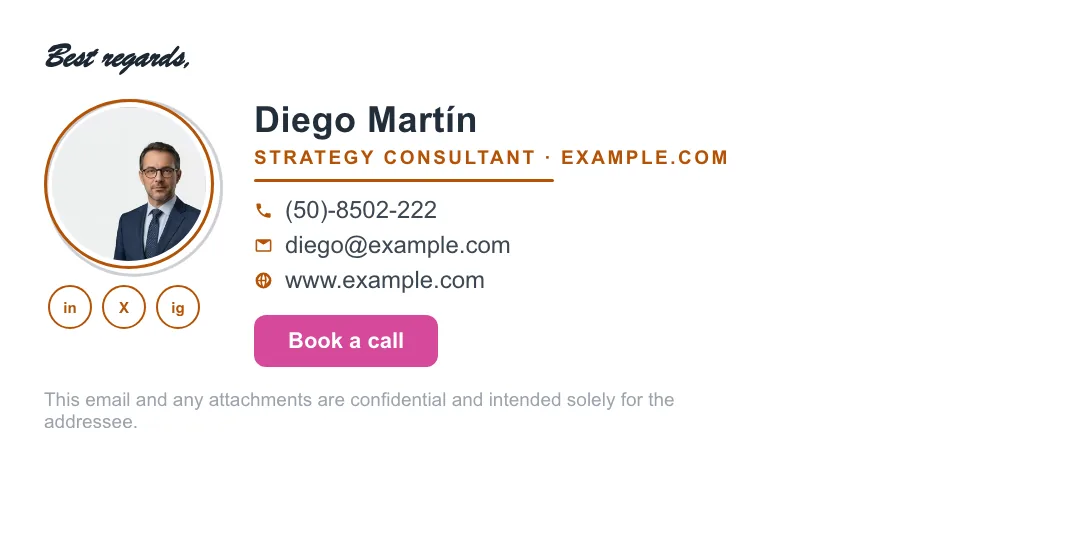
Solo buyers hire people. A professional headshot lifts reply and recall; if you brand under a business name, a clean logo works — see real layouts in the examples gallery.
One phone, one website
The two contact points clients actually use. Skip the fax, the second mobile and the P.O. box — every extra line dilutes the ones that matter.
License / certification if your field has one
NMLS, real-estate license, CPA, insurance producer number, therapy licensure: in regulated trades it is often required — the legal requirements guide covers which fields must.
A booking or quote link (your CTA)
The highest-converting line in a solo signature: 'Book a free 15-min call' or 'Get a quote in 24h'. Wording that works is in the CTA examples.
Two social links, maximum
The one or two profiles you actually maintain — for most self-employed professionals that is LinkedIn or Instagram. Five gray icons nobody clicks just add noise.
Look bigger without pretending to be bigger
The polish gap between 'freelancer' and 'firm' is mostly mechanical, and it is fixable in an afternoon: a domain email address instead of a bare Gmail one (the professional email address guide shows the cheapest route), a signature whose colors actually match your website — ProSignature imports your logo, colors and links from your site automatically, which is the entire trick — and email-safe HTML that renders identically in your client's Outlook as in your Gmail. What reads as 'small' is never the headcount; it is mismatched fonts and a signature that arrives broken.
Build it once, in four steps
- Enter your email at the free generator — brand imported from your website automatically (or start from a blank brand if you don't have a site yet).
- Pick a template that leads with a face or personal logo — photo-forward designs suit solo professionals best.
- Add your trade line, license number if applicable, and one booking CTA.
- Click Connect Gmail & install — done, free. Outlook and Apple Mail get a clean copy-paste.
By profession
The details shift by trade — what a therapist must include differs from what sells for a contractor. We keep dedicated guides with examples for freelancers, consultants, coaches, therapists, contractors, photographers, real-estate agents and accountants — each with the fields and CTA that fit that work. If you hire your first employee, the small-business guide and team deployment are the next step up.
Three layouts that work for this profession
Real renders, not mockups — this is the output that reaches an inbox. Under each is why that layout suits this kind of work.


Written and maintained by the ProSignature team. Competitor pricing and feature claims on this site are verified against each vendor's live page on the day of writing. Competitor prices on the roundup and pricing pages were verified 18 October 2026; older comparison pages carry their own dates. No affiliate links. How we work.
Build the signature everyone compares against
Your logo, colors and links are pulled from your website automatically — install into Gmail in one click, free.
Create my signature — freeWorks with Gmail and Google Workspace (one super-admin approval installs it in every mailbox), Outlook and Microsoft 365 (copy-paste), Apple Mail.
Frequently asked questions
What should a self-employed email signature include?
Name, a specific trade line ('Bookkeeper for restaurants'), a headshot or personal logo, one phone and website, any required license number, one booking or quote CTA, and at most two social links.
Should I use a photo or a logo when self-employed?
If clients hire you personally (coaching, therapy, consulting, trades): a professional headshot. If you operate under a business brand: the logo. Either way it should be a hosted, properly sized image — not an attachment.
Can I have a professional signature with a free Gmail address?
Yes, and it still beats no signature — but a domain email address (you@yourbusiness.com) is the single biggest credibility upgrade available, and it costs a few dollars a month. Our email address guide walks through it.
What title should I use if I work for myself?
Lead with the service, not the org chart: 'Wedding photographer', 'Freelance UX designer', 'Licensed plumber — Austin'. 'Owner' or 'Principal' works as a secondary word; 'CEO' of a company of one usually reads worse than the trade itself.
Is ProSignature free for self-employed professionals?
Yes — the free plan includes a professional template, automatic brand import from your website and one-click Gmail install; the free signature carries one small 'Created with ProSignature' line. Pro removes that line and adds premium templates and finer design controls.