Home › Dentists
Email signatures for dentists & dental clinics
Most clinic emails are appointment logistics. A branded signature with a “Book an appointment” button turns each one into the next visit.
Last updated
Why your email signature matters for dentists
Dental practices send thousands of emails a year — confirmations, treatment plans, follow-ups. Put a booking button in the signature and every message becomes gentle recall. Add DDS/DMD credentials and clinic branding, and even an insurance question reads like it came from a modern practice.
What to put in a dentist email signature
DDS / DMD credentials
Doctor titles displayed properly for every dentist in the practice.
“Book an appointment” CTA
One tap from any email to your scheduler.
Clinic logo & colors
Auto-extracted from your website by ProSignature.
Location & hours
Address with map link, so patients stop asking.
Build yours in minutes
- Open the generator and enter your work email — your logo, colors and social links are imported from your website automatically.
- Pick a template and fill in your name, title and the details that matter for your role.
- Add a call-to-action button — the one action you most want recipients to take.
- Install it into Gmail in one click (copy-paste for Outlook and Apple Mail), or give every teammate a personal link.
What belongs in this signature, line by line
The fields below are the ones this profession is actually judged on — by clients, by referral sources and in some cases by a regulator.
Name + credential
DDS, DMD, and any specialty board (orthodontics, periodontics, oral surgery). Patients and referring dentists read the letters first.
Practice name and location
Dentistry is hyper-local; the suburb does more work than the street address.
Practice phone — not a personal line
Appointments run through the front desk, and routing patients elsewhere creates scheduling chaos.
Online booking link
The highest-converting line in a dental signature. Most patients would rather book than call.
New-patient status
“Accepting new patients” is a genuine differentiator worth its line.
A privacy note, kept brief
Dental practices handle confidential patient information; a short line setting expectations about email is standard.
Patient email is health information, and that changes the rules
The constraint that separates dentistry (and healthcare generally) from every other profession here is that ordinary patient correspondence may contain confidential patient information, which privacy law protects wherever you practise. Standard email is not a secure channel, so most practices include a short notice stating that the message is confidential, intended only for the named recipient, and that patients should not send clinical details or urgent concerns by email. Many pair it with a line directing emergencies to the practice phone. The signature should also never contain anything patient-identifying — an obvious rule that is routinely broken by auto-appended appointment references. Requirements vary by jurisdiction and your practice's own compliance policy, so confirm rather than copying another practice's wording; general framing is in legal requirements.
Two audiences: patients and referring dentists
A dental signature quietly serves two very different readers. Patients want reassurance and an easy way to book — which argues for a warm photo, the practice location, new-patient status and a booking link. Referring general dentists, if you are a specialist, want your credentials, your specialty scope and a direct professional line — a booking widget aimed at consumers reads slightly oddly in that context. Specialist practices often solve this with a single restrained block that leads with credentials and carries the booking link as a secondary line, rather than trying to be a consumer advertisement. Multi-dentist practices should deploy one consistent design with each clinician's own credentials filled in — see team deployment.
Mistakes that show up most in this field
Any patient-identifying detail in an auto-appended block
Appointment references and chart numbers must never live in a signature template.
A personal mobile instead of the practice line
Breaks scheduling and creates after-hours clinical exposure.
No booking link
Most patients prefer booking to phoning; the omission costs appointments daily.
A long marketing banner on clinical correspondence
Whitening promotions under a referral letter to a colleague read poorly.
Three layouts that work for this profession
Real renders, not mockups — this is the output that reaches an inbox. Under each is why that layout suits this kind of work.

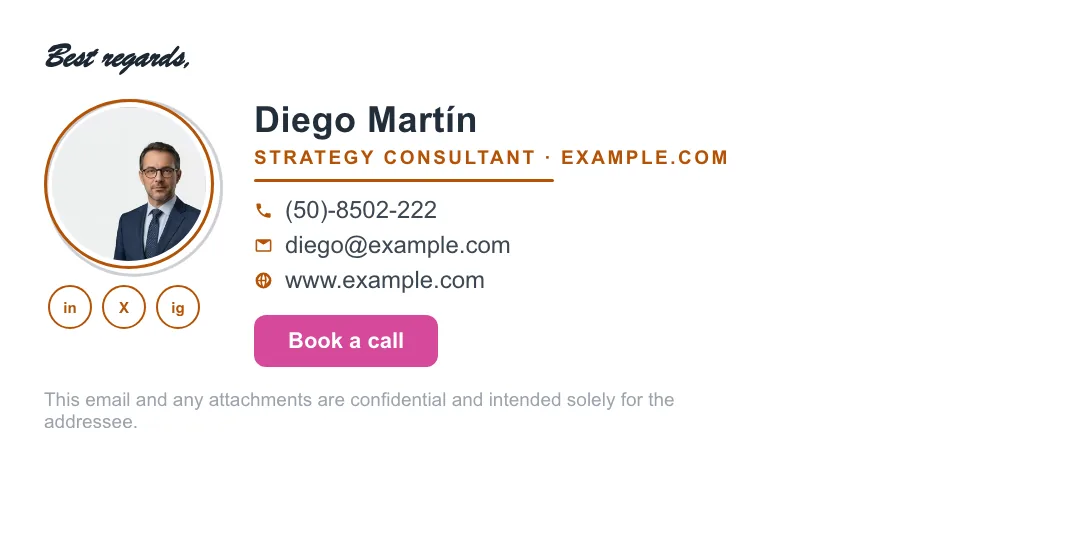

Written and maintained by the ProSignature team. Competitor pricing and feature claims on this site are verified against each vendor's live page on the day of writing. Competitor prices on the roundup and pricing pages were verified 18 October 2026; older comparison pages carry their own dates. No affiliate links. How we work.
The easiest recall system you'll ever install
Design it in minutes and install it in one click.
Create my signature — freeWorks with Gmail and Google Workspace (one super-admin approval installs it in every mailbox), Outlook and Microsoft 365 (copy-paste), Apple Mail.
Frequently asked questions
Can front-desk staff share the design?
Yes — deploy the same clinic-branded signature to dentists, hygienists and front desk, each with their own name and role.
Should we add before/after photos?
Not in the signature — use a seasonal promo banner (whitening, checkup reminders) with the built-in banner block instead.
Does it work with our practice email?
Yes — Gmail/Google Workspace installs in one click; Outlook via copy-paste.
What should a dentist's email signature include?
Name with credential (DDS, DMD) and any specialty board, practice name and location, the practice phone, an online booking link, new-patient status, and a brief confidentiality note. Avoid any patient-identifying detail.
Do dental practices need a privacy notice in email signatures?
Patient correspondence can contain confidential patient information, and standard email is not secure, so most practices include a short confidentiality notice directing urgent or clinical matters to the phone. Confirm the specifics with your compliance policy.
What is the best call-to-action for a dental practice?
An online booking link, paired with new-patient status. Most patients would rather book online than call, and saying you are accepting new patients removes the main hesitation.