Home › Teachers & educators
Email signatures for teachers & educators
Parents, students and administrators all read your email. A clear signature — school, subject, when you're reachable — answers half their questions before they ask.
Last updated
Why your email signature matters for teachers and educators
A teacher's inbox runs on clarity: which class, which building, when you answer. A signature with your school, subject and office hours — plus a link to the class page or syllabus — deflects the daily 'when can I reach you?' emails. School Gmail (Google Workspace) is fully supported: one click and it's installed.
What to put in a teachers and educator email signature
School & subject line
So parents instantly know which teacher and which class this is.
Office hours
State when you reply — it sets expectations and cuts follow-ups.
Class-page or syllabus link
One link that answers most parent questions.
Pronouns (optional)
A small line many schools now encourage.
Build yours in minutes
- Open the generator and enter your work email — your logo, colors and social links are imported from your website automatically.
- Pick a template and fill in your name, title and the details that matter for your role.
- Add a call-to-action button — the one action you most want recipients to take.
- Install it into Gmail in one click (copy-paste for Outlook and Apple Mail), or give every teammate a personal link.
A teacher's signature has an unusual audience mix
Name + role, grade or subject
“Year 9 Science” or “3rd Grade” — parents email dozens of staff and need to place you instantly.
School name and, where relevant, room or department
Useful for parents, essential for colleagues in a large school.
Office hours or best time to reach you
The single most valuable line: teachers cannot answer email while teaching, and stating so pre-empts most frustration.
School phone, not a personal number
A boundary worth keeping firmly; most districts and schools expect it.
Preferred contact route for parents
If your school uses a parent portal or messaging platform, point there — it keeps records where the school wants them.
No student-identifying information, ever
Nothing in an auto-appended block should reference a student, class list or case.
Boundaries and safeguarding
Teaching is the profession where the signature's main job is setting expectations rather than marketing anything. Parents often email in the evening and, without guidance, expect a reply the same night; a plain line giving your response window (“I reply to email within two school days”) prevents a great deal of friction and protects your evenings. Alongside that, most schools and districts have policies about which channels staff may use with families, whether personal contact details may be shared, and what may appear in correspondence — and those policies, not personal preference, should determine the signature. Many institutions also require a standard footer or confidentiality line on all staff email. Check your school's policy before changing anything, and if the school wants consistency across all staff, that is exactly what a locked team design with personal install links is for.
Three layouts that work for this profession
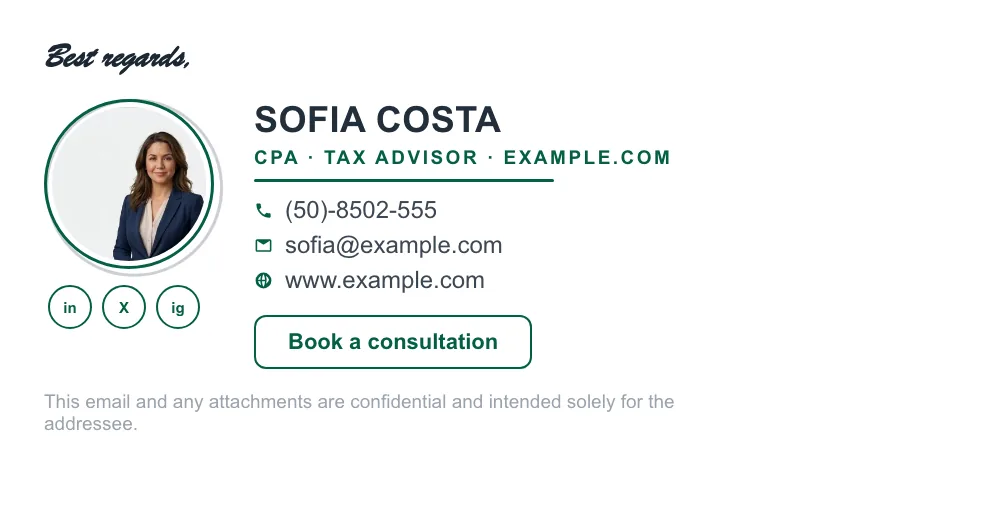
Real renders, not mockups — this is the output that reaches an inbox. Under each is why that layout suits this kind of work.


Written and maintained by the ProSignature team. Competitor pricing and feature claims on this site are verified against each vendor's live page on the day of writing. Competitor prices on the roundup and pricing pages were verified 18 October 2026; older comparison pages carry their own dates. No affiliate links. How we work.
Make every email easy to act on
Design it in minutes and install it in one click.
Create my signature — freeWorks with Gmail and Google Workspace (one super-admin approval installs it in every mailbox), Outlook and Microsoft 365 (copy-paste), Apple Mail.
Frequently asked questions
Does this work with school Google Workspace accounts?
Yes — ProSignature installs into any Gmail-based account, including school Workspace accounts, with the same one-click flow.
Should I include my personal phone?
Usually not. Use the school line or omit phone entirely; the class-page link carries most of the load.
Can the whole faculty match?
Yes — Teams deployment gives every teacher the same design with their own subject and details.
What should a teacher's email signature include?
Name, role with grade or subject, school name and department, office hours or a stated response window, the school phone number, and the preferred contact route for parents. Never include student-identifying information.
Should teachers put their personal phone number in an email signature?
No. Use the school number and the school's preferred contact channels — most institutions have policies requiring this, and it protects the boundary between work and personal time.